For restaurants
See it work for your restaurant
Fennel Street Kitchen is a real, working restaurant inside FrontOffice — a live menu, a live kitchen board, an open waitlist. Everything below is the real product, not a video.
Hear it live
Have it call your phone right now
Pick a voice, enter your number — our AI receptionist for restaurants rings you in seconds.
Scan with your phone
The honest test — a real phone, on cellular, standing up. Point your camera at a code, or tap it if you’re already reading this on your phone.
Four things worth trying
Open the menu like a guest at table 4
Browse by category, filter for vegetarian, add a couple of dishes to the cart — exactly what someone sitting at a table sees after scanning the code taped to it.
Ask the AI waiter something you’d ask a server
“Is the butter chicken spicy?” · “What’s vegan?” · “Does it have nuts?” It answers only from this restaurant’s real menu data — and every allergen answer ends by telling you to confirm with a human.
Send a real order to the kitchen
Place it and watch your status page move from “Sent to kitchen” to “Ready.” On the restaurant’s side it lands on a board at the pass, with a ding and the table number.
Join the waitlist as a walk-in
Tables are full, so you scan the door code, put your name down and go wait. Your page shows your place in line and a learned wait estimate — and turns green when the table is ready.
Try away — nothing is real. Order away — nothing is real. No payment is taken and no food is cooked. Orders land on a demo kitchen board, and the waitlist is a demo queue.
Behind the counter
The live product — the real screens your team runs.
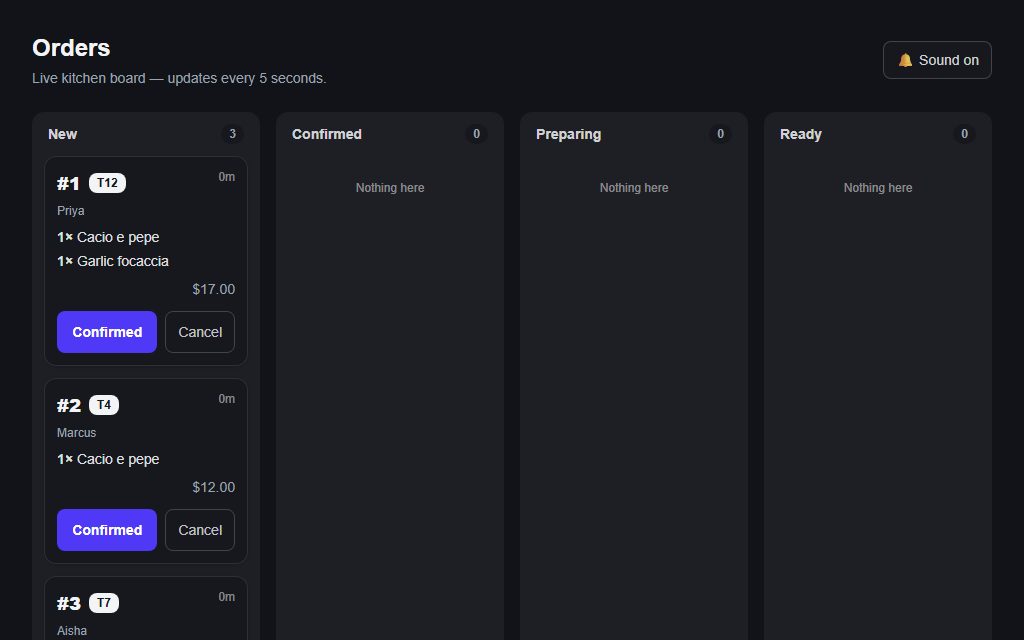
Orders arrive at the pass with a ding + table number; tap to advance.
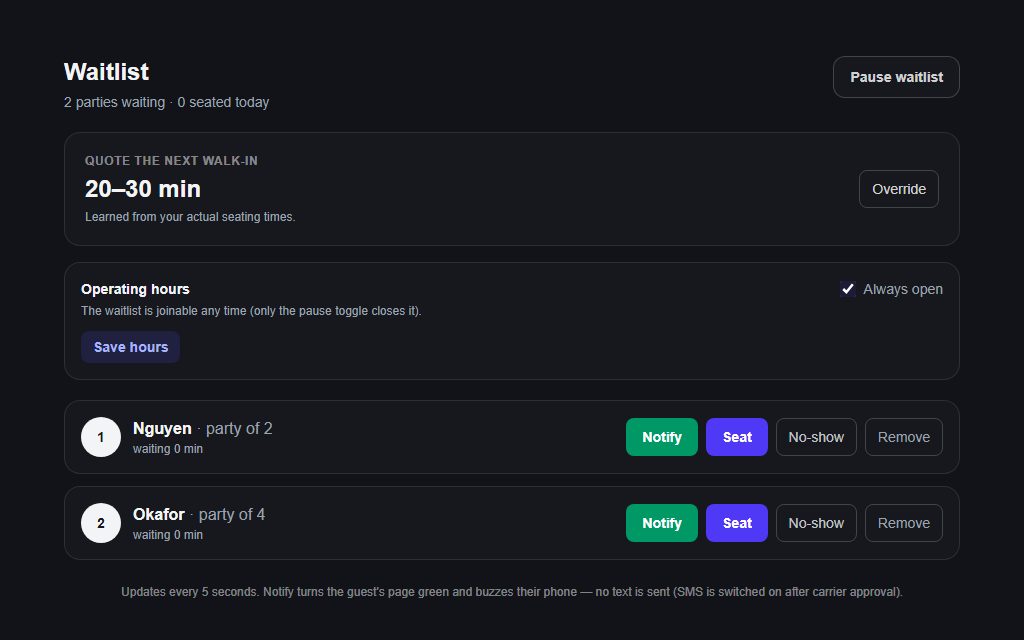
Seat, notify, no-show — a 5-second refresh with learned wait times.
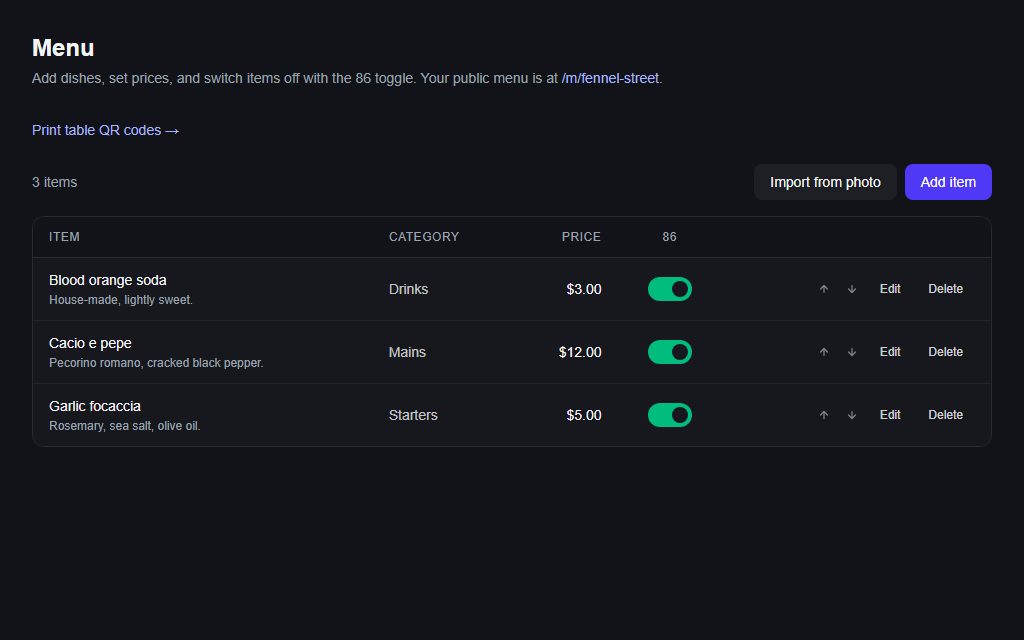
Photo-import your printed menu to live items in minutes.
Want this on your tables?
Send us a photo of your menu and we’ll have your version running — dishes, prices, QR codes, the lot — before you finish your coffee. No POS to replace, no commission on orders.